Trusted by 4,000+ businesses across India to run payroll and stay compliant
Employee Self-Service Attendance Management Leave Management Expense Management Employee Onboarding Payroll Mobile App Industries Manufacturing IT & Software Healthcare Logistics & Transport Retail & FMCG Education Banking & Finance Construction Hospitality Startups Pricing Blog About Us Contact Us Book Demo
Expense Management Software

From Claim to Reimbursement.

Employees snap receipts and raise claims from their phone. Finance reviews against policy, approves and reimburses through payroll — no paper bills or spreadsheets.

Snap & claim Policy checks Paid via payroll
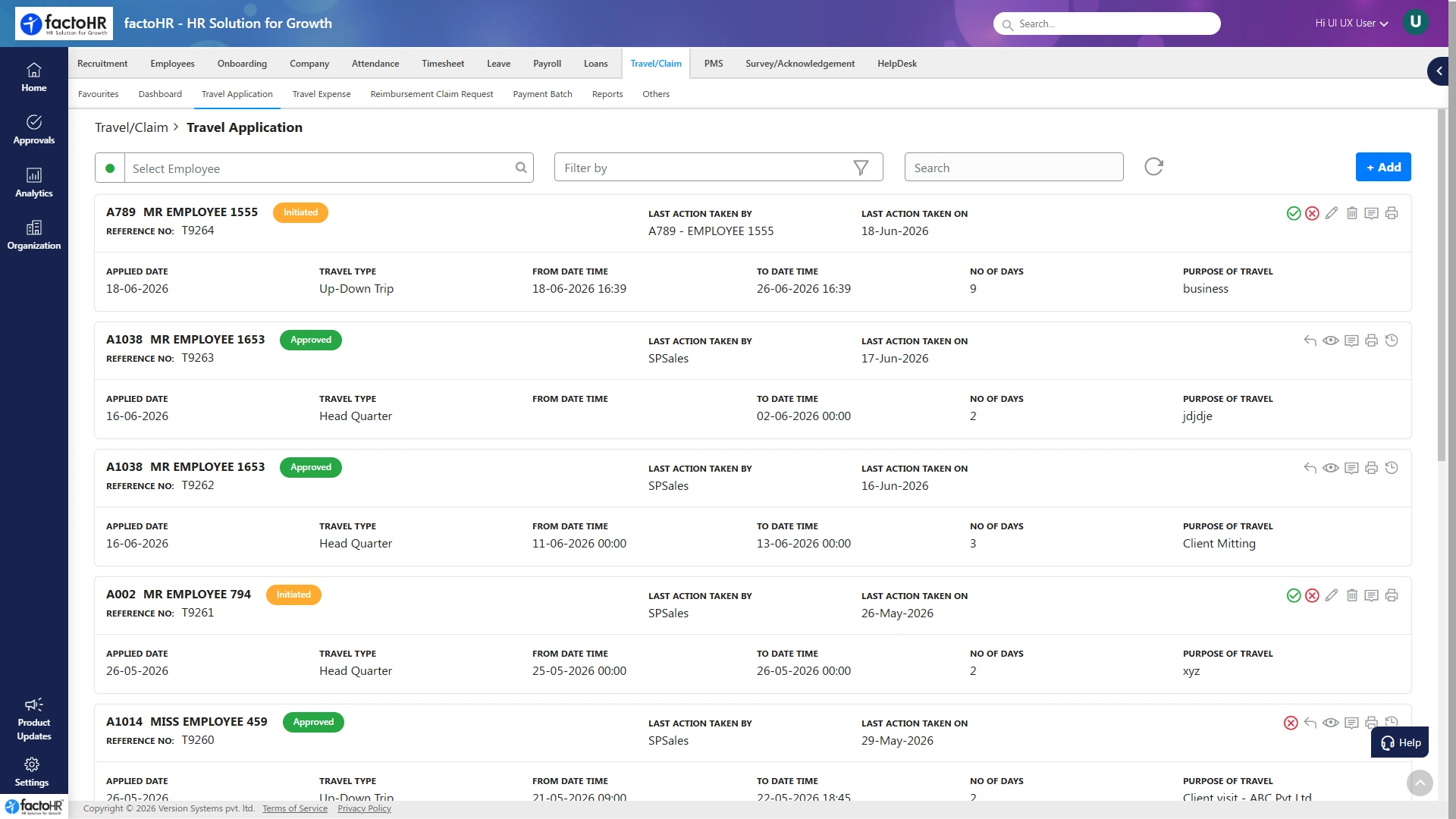
Expense claim and travel application screen
Reimbursed with salaryNo separate payout
Claim to Payout

One Clean Path from Receipt to Reimbursement

No paper handoffs and no separate payout run. Each claim moves through four steps and lands in the next payroll.

01

Snap the receipt

Employee photographs the bill and raises a claim from the app.

02

Submit with policy check

Category and limit checks apply as the claim is created.

03

Manager approves

Routed to the right approvers, with status visible throughout.

From field sales to office teams, every rupee of spend is claimed and tracked here.

SnapReceipt to claim in seconds
On policyLimits checked on submit
PayrollReimbursed with salary
AuditEvery claim & receipt logged
Paperless Claims

Raise a Claim in Seconds, Not Forms

Employees attach a receipt, pick a category and submit. Policy checks run as they type, so out-of-policy claims are caught before they reach finance.

  • Receipt photo attached to every claim
  • Category and limit checks on submit
  • Multi-level approvals where needed
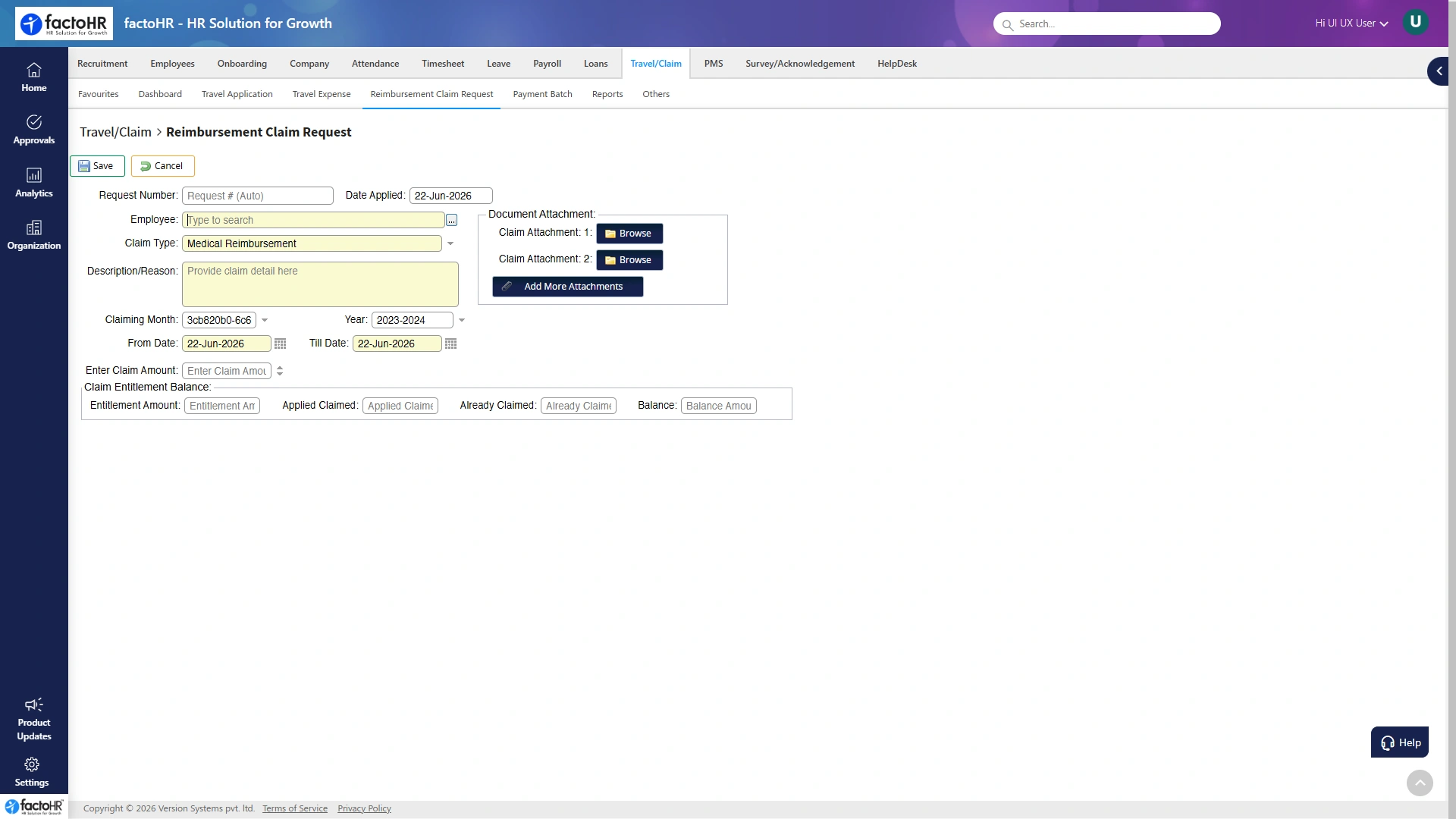
Raising a reimbursement claim with a receipt
Every Claim Type

Covers the Expenses Your Teams Actually Raise

Set limits and approval rules per category, so travel, field and office spend all follow policy.

Travel and cab Food and meals Fuel and mileage Lodging Telecom and internet Client meetings Office supplies Custom categories
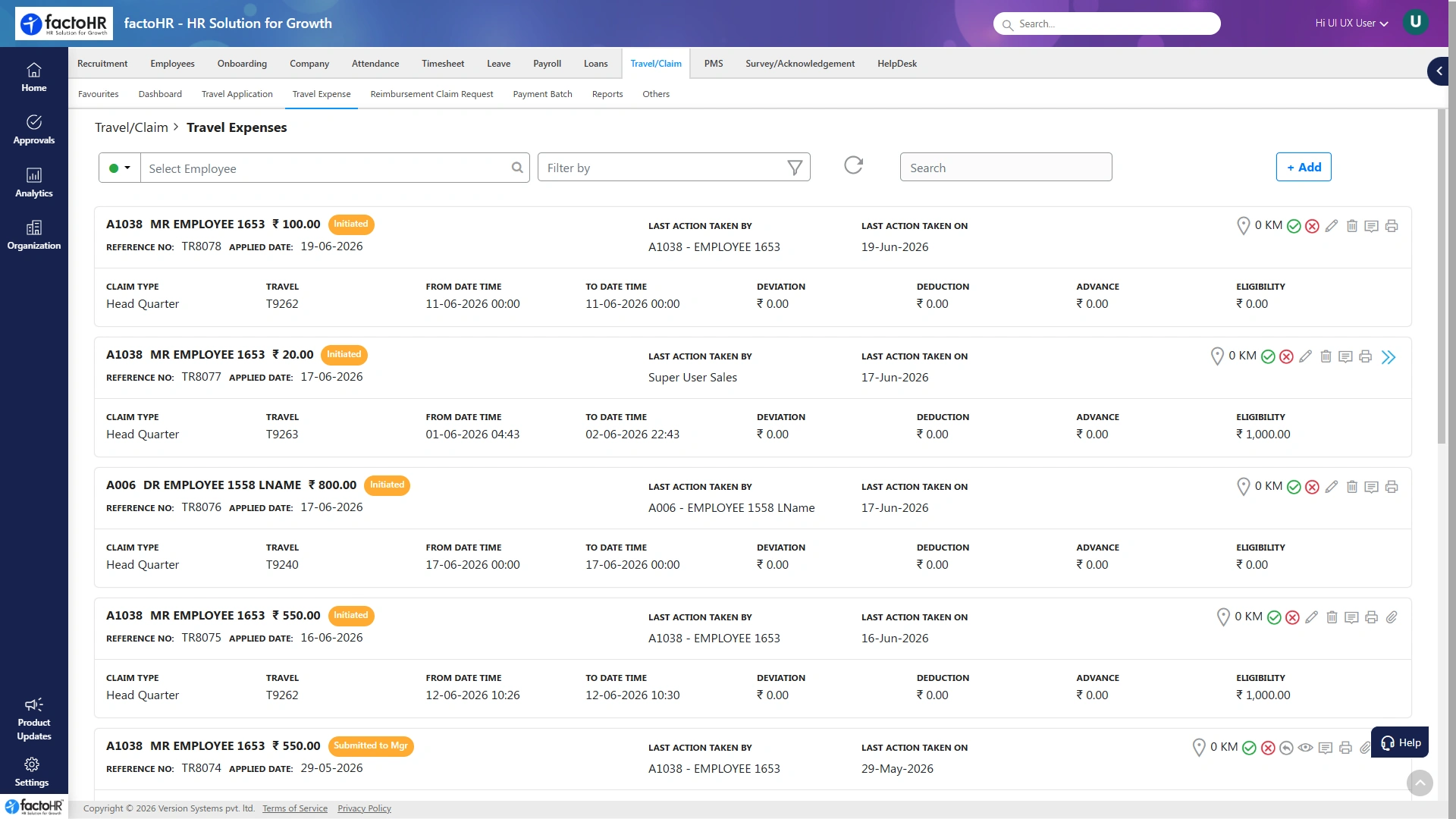
Expense spend report by category
Spend You Can See

Close the Month Without Expense Chaos

Every claim, receipt and approval is logged, so finance sees category spend as it happens and closes the month without chasing bills.

  • Category, project and team spend views
  • A full audit trail for every claim
  • Faster reimbursements for employees
How It Works

Receipt to Reimbursement in Five Steps

1Snap receiptPhoto the bill in the app.
2Pick categoryPolicy and limits applied.
3SubmitRouted to the right approvers.
4ApproveManagers clear it, status live.
5ReimbursePaid with the next salary.
Part of One Platform

Expense Connects to Every Module

Claims share the same employee record as payroll and self-service, so reimbursement lands on the payslip without a separate payout.

FAQ

Expense Questions, Answered

How claims, approvals and reimbursement through payroll work.

Still have questions?Talk to our payroll and HR experts.
How do employees submit expenses?

Employees raise a claim from the mobile app or web, attach a receipt photo, pick a category and submit it for approval in a few steps.

Can we set spending limits and categories?

Yes. You define categories and limits, and claims that fall outside policy are flagged for review as they are raised.

How are approved claims paid?

Approved claims are reimbursed through payroll along with salary, so there is no separate payout to manage.

Does it support multi-level approvals?

Yes. Claims can route through more than one approver based on amount, category or team, with status visible at each step.

Can finance see spend by category?

Yes. Spend can be viewed by category, project or team as claims come in, so budgets stay on track.

Is there a record for audits?

Yes. Every claim, receipt and approval is stored, giving finance a clear audit trail whenever it is needed.

See your payroll run in minutesPayroll, compliance and HR on one platform
Book a Free Demo